


Easy Rout Map: Navigation Path
Travel Maps Tech
I tried Easy Rout Map: Navigation Path as a practical travel companion rather than as a replacement for every navigation tool on my phone. It is a free Travel & Local app from Travel Maps Tech, built around route guidance, voice navigation, and a street-view-style map experience. The idea is straightforward: help me understand where I am going without forcing me to study a map constantly while walking or driving.
That focus makes it easy to approach, but the app is more useful in some situations than others. I found it most appealing when I wanted a quick visual sense of an unfamiliar area, a spoken route while moving, or a simple way to combine ordinary directions with map-based exploration. It is less convincing for people who need a complete travel-planning suite with a deep public-transport database, extensive offline tools, or highly specialized navigation options.
Its current store position is strong enough to deserve attention: it has a 4.2 average from around 15K ratings and has passed 10 million installs. Those figures suggest that the basic concept works for a broad audience, although popularity alone does not remove the need to check whether its style of navigation suits your routine.
How Easy Rout Map feels in everyday use
A simple starting point for unfamiliar streets
The first thing I noticed is that Easy Rout Map: Navigation Path is easier to understand when I treat it as a visual route assistant. I enter or select a destination, follow the suggested path, and use the voice guidance to reduce the amount of time spent looking down at the screen. The street-view element adds another layer: instead of seeing only abstract lines and labels, I can use the surrounding map imagery to build a more concrete idea of the area.
That combination is useful before I leave as well as during the journey. If I am visiting a new neighborhood, I can inspect the route visually and think about where turns may occur. This is especially helpful for a short walk from a station, a hotel, or a parking area, where the final few streets can be more confusing than the main route.
Latest News

Uber Eats Under Pressure: What Happens When Delivery Goes Wrong

How QR & Barcode Scanner Adapts to Android and iOS Innovations

Why Waze Navigation & Live Traffic Is Your Essential Travel Companion

CapCut Mastery: Unleash Hidden Features for Pro-Level Editing

How OS Updates Enhance Roblox Adventures

Teacher Simulator: Exam Time Turns Quick Classroom Judgments into a Repetitive Loop
I would not describe the experience as a full trip organizer. The app’s strength is the immediate route, not building a detailed itinerary with reservations, notes, tickets, and multiple travel legs. For a person who wants to get from one place to another with less map-reading, that narrower purpose is actually a benefit. There are fewer planning layers to distract from the journey.
Voice guidance is useful, but attention still matters
Voice navigation is most valuable when I am walking with bags, cycling carefully, or driving in an unfamiliar place. It lets me keep my attention on the surroundings instead of checking the display at every intersection. I still keep the screen available for confirmation, because spoken instructions can be easy to misinterpret when several streets are close together or when a route includes a small access road.
My practical advice is to check the route before moving, then let the voice prompts handle the obvious parts. I would not wait until I am already crossing a busy road or entering a complicated junction to study the map. The app can reduce screen dependence, but it cannot replace ordinary awareness of traffic, signs, pedestrians, or changing road conditions.
Gallery
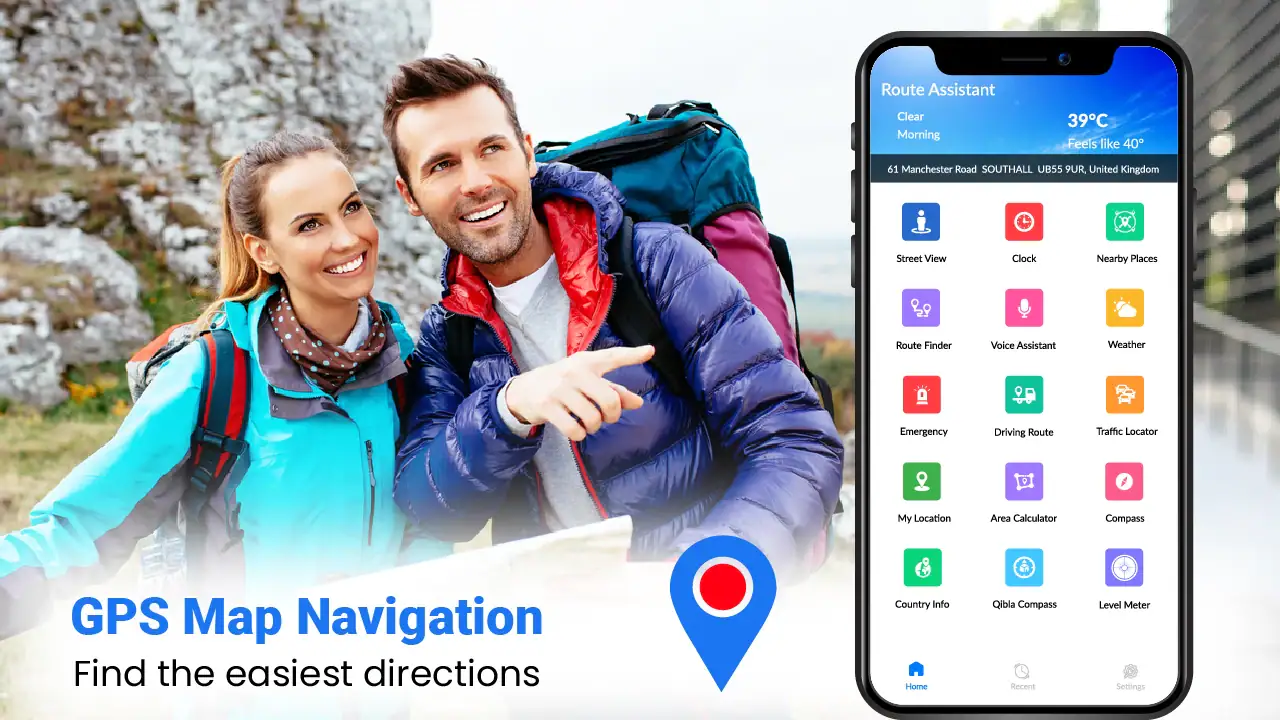
For walking, I found the visual map particularly important near the destination. A voice instruction can tell me to turn, but the map helps me judge whether I am approaching the correct entrance, side street, or block. This is one of the more useful trade-offs in the app: voice guidance saves attention, while the map view provides the context that audio alone cannot give.
A realistic use case: reaching a hotel after arriving late
Imagine arriving in a new city after dark, leaving a station, and walking toward a hotel you have never seen. You may know the general direction, but the final route can become stressful when several streets look alike. I would use Easy Rout Map to preview the path, look at the surrounding street view, and then start voice guidance once I was moving.
The helpful workflow is to pause at a safe location before each complicated section. I can compare the spoken instruction with the visual route, identify the next major turn, and continue without repeatedly stopping in the middle of the sidewalk. If the entrance is not obvious, the street-view perspective can help me recognize the building approach rather than merely the road name.
This is a better fit for the app than a long, multi-day holiday plan. It addresses a specific moment of uncertainty and gives me a practical way to get oriented. I would still save hotel details separately and keep another source available for opening hours, tickets, or local transport changes.
Street-view exploration adds value before navigation
The street-view map is not just decoration. Used properly, it can help answer questions that a conventional route line leaves open. Is the destination reached from a main road or a smaller side street? Does the final turn appear easy to recognize? Is the route likely to pass through a busy-looking area or a quieter residential stretch? The imagery cannot answer every travel question, but it gives the route a physical feel.
I recommend using this feature during preparation rather than constantly while moving. Exploring the route in advance helps me remember visual landmarks and reduces the temptation to stare at the phone. It is also a good way to decide whether a suggested walking path feels comfortable for the time of day, although I would not treat map imagery as a guarantee of current conditions.
One non-obvious advantage is that the visual preview can expose a route that looks short on paper but awkward in practice. A narrow turn, an indirect entrance, or a confusing cluster of roads may become apparent before I commit to the journey. That does not mean I should reject every unfamiliar path, but it gives me a reason to prepare an alternative when the route looks inconvenient.
What the current version tells me about the product’s direction
The current version is 2.0.22, which places the app beyond a first experimental release and suggests an established product rather than a one-screen prototype. Its release date was January 18, 2023, so the app has had time to develop its identity around accessible route guidance and map viewing.
I see that evolution in the way the experience brings spoken navigation and visual exploration together. The product is not trying to win by offering an enormous number of travel-planning categories. Instead, it concentrates on making route-following more approachable for people who want directions and a clearer sense of the surrounding streets.
That concentration is important for existing users. People who liked the earlier, simpler approach should still recognize the main purpose, while the newer version feels more suitable for users who want to inspect a route rather than blindly follow a line. I would update normally when the app offers a newer version through the relevant store, because navigation tools depend on compatibility and current map behavior.
Who will benefit most from it
I would recommend Easy Rout Map to casual travelers, walkers, visitors exploring unfamiliar neighborhoods, and drivers who prefer spoken prompts with a visual backup. It also makes sense for someone who finds large navigation platforms overwhelming and wants a more focused route experience.
It can be useful for planning short local journeys too. Before visiting a new café, museum, office, or public building, I can inspect the approach and make sure I understand the final turn. That small preparation step often saves more time than repeatedly recalculating after I have already arrived nearby.
The app is also approachable for households with mixed technical confidence. The free entry point removes a financial barrier, and its content rating is Everyone, so it is positioned for a broad audience rather than a specialized adult travel niche. In-app purchases are listed at $2.99 per item, so I would pay attention to any optional purchase screen and decide whether an added function genuinely improves my own routine.
Where it falls behind familiar alternatives
The usual alternative is a major all-purpose map service that combines navigation with business listings, reviews, transit information, traffic layers, saved places, and extensive local data. Those services are usually better when I need a complete picture of a destination or when a journey involves several transport modes.
Easy Rout Map has a different appeal. Its route-and-street-view emphasis can feel less cluttered for a straightforward journey, and the visual preview is central rather than something I have to search through a large ecosystem of tools. If my priority is simply understanding a route and following it with voice support, that focused approach may be more comfortable.
A dedicated offline navigation app may be a better choice for remote travel, weak-signal areas, or users who need carefully managed downloaded maps. Likewise, a public-transit specialist is preferable when departure times, platform changes, transfers, and service disruptions matter more than street-level orientation. I would not choose this app as my only travel tool for a complicated international itinerary.
Small frictions that affect the experience
The biggest limitation is that route guidance is only as useful as the surrounding map context and the user’s attention. A spoken prompt can arrive at an inconvenient moment, while a street-view image may not reflect a recent change to the area. I treat the app as guidance, not as an authority that overrides signs, barriers, construction, or local instructions.
Another point is workflow. The app is most effective when I spend a minute preparing the route, but that preparation is easy to skip when I am in a hurry. If I start navigation without checking the destination entrance or the final approach, I may still need to stop and examine the map later. The tool rewards a little planning.
There is also a natural trade-off between simplicity and depth. A focused interface can be easier to use, but it may not satisfy someone who expects every travel detail in one place. If I need restaurant research, reservations, live transit decisions, extensive place reviews, and route planning together, I would use a broader service alongside it rather than expecting this app to handle everything.
Practical habits that make it more reliable
I get better results by confirming the destination name and checking the final section of the route before starting. Many navigation mistakes happen near the endpoint, where several entrances or similarly named streets can be close together. A quick visual inspection is more valuable there than repeatedly watching the entire route from beginning to end.
I also use voice guidance as a supplement, not as a command to follow without thought. In a car, I set everything up before moving. On foot, I stop away from traffic and doorways when I need to look closely. These habits are not unique to this app, but they matter here because the product encourages a blend of spoken instructions and visual map checking.
For a trip with unreliable connectivity, I would prepare a backup: a saved address, a written destination, or another map option already available on the phone. I would do the same for a journey where missing one turn could create a serious problem. Easy Rout Map is convenient, but convenience should not be confused with guaranteed access in every environment.
What existing users should expect from its evolution
Users moving to version 2.0.22 should think of the app as a maturing navigation product rather than a radically different travel platform. The important question is not whether it replaces every map app, but whether its combination of voice directions and street-level visual context fits the way they travel.
If I already use it for short routes, the main benefit is continuity with a clearer sense of how the route is meant to be understood. I would keep using the preview step, especially for unfamiliar destinations, and I would avoid judging the app only by how quickly it produces a route. The quality of the experience comes from how well the route, voice prompts, and visual surroundings work together.
For new users, the free price makes testing straightforward. I would try it first on a familiar journey, then on a short unfamiliar walk, before relying on it for a demanding trip. That progression reveals whether the voice timing, map presentation, and route style are comfortable for me without adding unnecessary risk.
What I would watch in future updates
Future improvements would matter most if they make the route experience more dependable without making it harder to understand. I would watch for smoother handling of complicated final approaches, clearer separation between driving and walking situations, and better support for people who need to prepare before leaving rather than react while moving.
I would also pay attention to how optional purchases affect the free experience. At $2.99 per item, an occasional purchase may be reasonable if it solves a real problem, but I would prefer the core route workflow to remain useful without pressure. The app’s appeal depends partly on being an accessible alternative to more crowded navigation platforms.
Another sensible area to monitor is the balance between street-view exploration and current reality. Visual previews are helpful, but users need to remember that roads, entrances, and surroundings can change. Any future refinement that makes this distinction clearer would improve trust without requiring the app to become a full travel-planning system.
My final recommendation
I came away viewing Easy Rout Map: Navigation Path as a focused, approachable navigation app with a useful visual personality. Its best feature is not simply that it can show a route; it is the way voice guidance and street-level map exploration can work together when I am trying to understand an unfamiliar journey.
I would recommend it to someone who wants a free route assistant for everyday walking, driving, or quick travel preparation. I would especially suggest trying the street-view preview before leaving, because that is where the app can offer more practical confidence than a basic line on a map.
I would skip it as my sole travel solution if I depend on detailed transit planning, extensive offline coverage, or a complete destination-research platform. For those needs, a specialized or broader alternative will be stronger. But for straightforward navigation with a clearer visual sense of the streets, this app earns a place on my phone. Its real value is helping me arrive with a better mental picture of the route, not merely telling me which direction to turn.
FAQs for Easy Rout Map: Navigation Path
What features does Easy Rout Map: Navigation Path offer?
Easy Rout Map: Navigation Path provides real-time GPS navigation, turn-by-turn directions, and offline map access. It also includes features like traffic updates, point-of-interest searching, and customizable route options for both driving and walking. With its user-friendly interface, the app ensures a seamless experience for all users.
Is Easy Rout Map: Navigation Path available offline?
Yes, Easy Rout Map: Navigation Path allows users to download maps for offline use. This feature is highly beneficial for travelers in areas with limited or no internet connectivity. You can pre-download maps of specific regions or cities, ensuring uninterrupted navigation even when offline.
How accurate is the real-time traffic information in Easy Rout Map?
The app provides highly accurate real-time traffic updates by utilizing data from various sources, including road sensors and user reports. It helps in planning routes effectively and avoiding congested areas. However, like all navigation apps, occasional discrepancies may occur due to unexpected road conditions.
Does Easy Rout Map: Navigation Path support voice navigation?
Yes, the app supports voice navigation, allowing users to receive spoken directions while keeping their focus on the road. This feature is available in multiple languages, making it accessible for a global audience. It enhances driving safety by reducing the need to look at the screen frequently.
What are the system requirements for Easy Rout Map: Navigation Path?
Easy Rout Map: Navigation Path requires Android 6.0 or higher and iOS 12.0 or later. It is optimized for both smartphones and tablets, offering a smooth user experience across different devices. Ensure your device has sufficient storage space to download offline maps and regular updates for optimum performance.
Pros
- User-friendly interface for easy navigation.
- Real-time traffic updates enhance trip planning.
- Offline maps available for no-internet zones.
- Customizable routes to suit personal preferences.
- Voice-guided navigation for hands-free use.
Cons
- Occasional lag in GPS signal detection.
- Battery consumption is relatively high.
- Limited options for route sharing.
- Ads can be intrusive during use.
- Some features require in-app purchases.


